COMING SOON

What we’re building next

Goldlink has been building software since 1997. Here’s a look at what’s on the way, including new features for Inventory Control.

Visitors • by Goldlink

Know who’s in the building. Prove who was.

A visitor management system for your front desk and your trade show floor. Visitors check in on a tablet, hosts are notified right away, and every visit is on record.

Visitors, the overview

One platform for your front desk and your trade show floor. (2:48)

At the front desk

Check-in, check-out, and a record you can trust when it’s audit day. (1:30)

On the trade show floor

Attendees scan a booth code and the lead lands on the exhibitor’s dashboard. (1:53)

Learn more at visitors.usingthis.com

Inventory Control • New features

Inventory Control keeps growing.

Inventory Control is available now on iPhone and iPad. Here is what is rolling out next. For the app itself, including the overview and how-to videos, see the Inventory Control page.

Watch the Inventory Control videos →

Gas Tracker • iPhone

Your fuel and service history, on your phone and in your car.

Gas Tracker logs every fill-up and service for every vehicle you own, works out your miles per gallon, and works with Apple CarPlay, so you can log a fill-up right from your car’s screen.

  • Fill-ups and miles per gallon, automatically
  • Works with Apple CarPlay, and Goldlink holds Apple’s CarPlay entitlement
  • AI reads the pump, the receipt, and the dashboard from a photo
  • Reads your odometer and fuel level through an OBD-II adapter
  • 18 kinds of service, from oil changes to car washes
  • Every vehicle, with VIN, tank size and photos
  • Siri shortcuts: “Log a fill-up”
  • Charts, a gas station alert, and CSV or ZIP export

Gas Tracker, from Goldlink

Coming soon for iPhone. (1:20)

Online store • for Inventory Control

Turn your Inventory Control inventory into an online store.

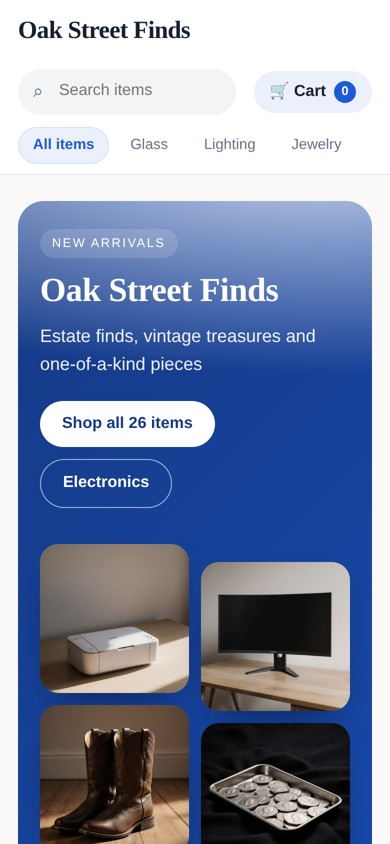
Export your inventory from the app, upload it, and get a storefront of your own, with search, categories, photos, a shopping cart and checkout. Built for resellers, small shops and estate-sale companies.

  • Browse by category, or search
  • An item page with photos for every piece
  • A shopping cart and a two-step checkout
  • Volume discounts and promo codes
  • An owner dashboard for orders, products and stock
  • Uses the inventory you already keep in the app

Coming soon. The store shown here is a demo with fictional items.
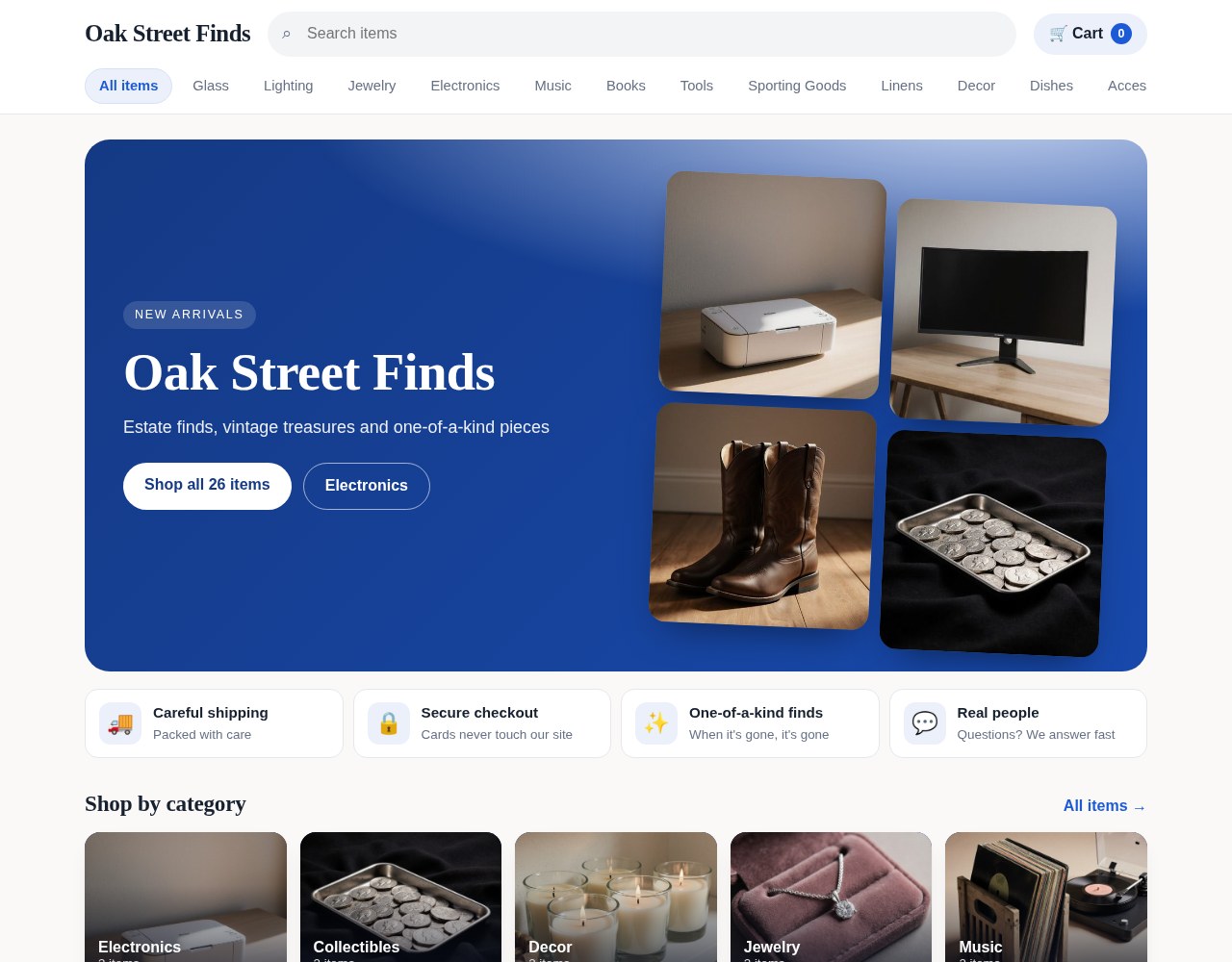
A demo online store with fictional items The same demo store on a phone
Roundtable Minutes • iPhone

Record the meeting on every phone. Get the minutes.

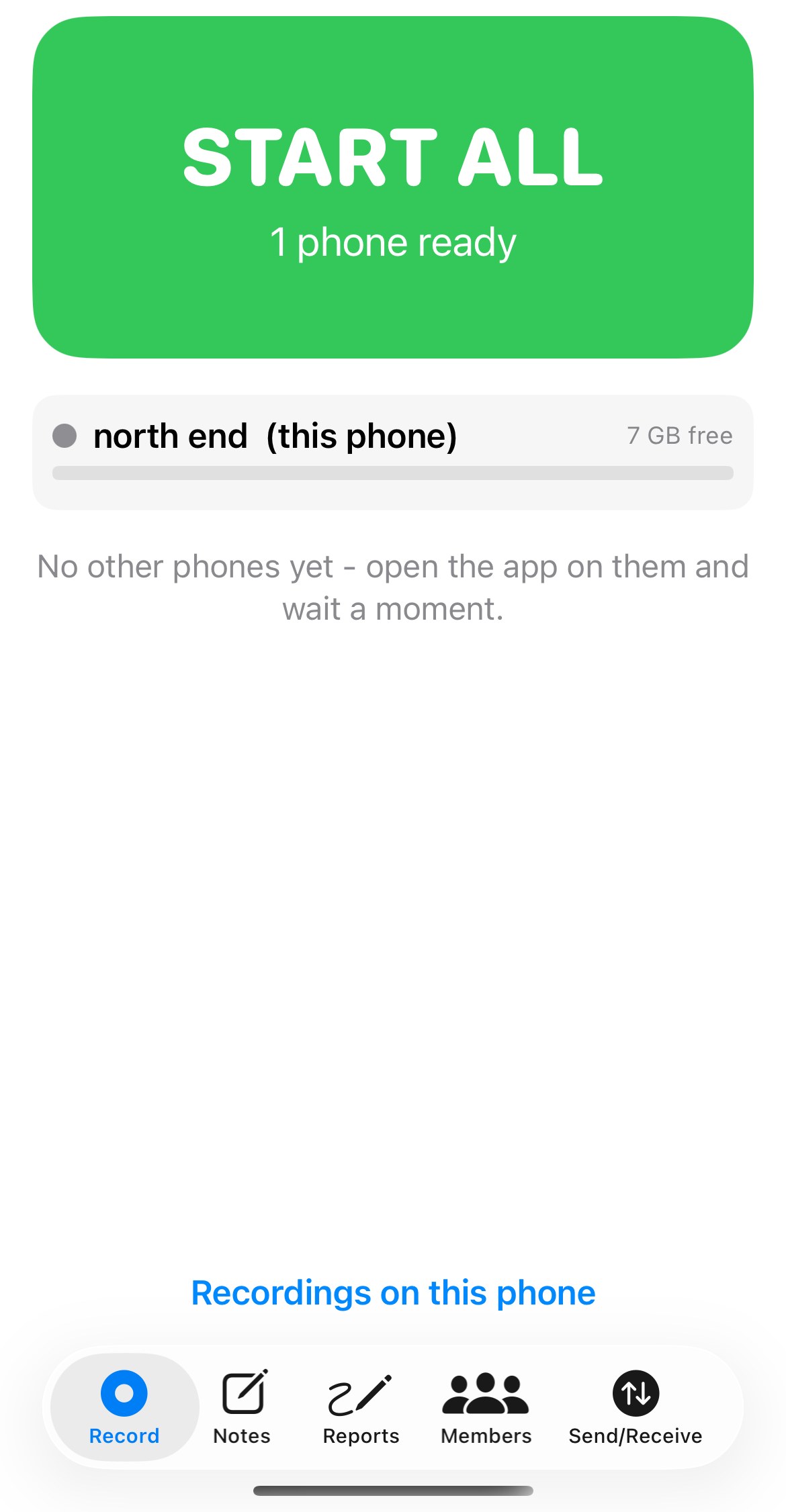
Put a few iPhones around the room, tap once, and they all start recording together. Afterward the recordings are lined up and combined into one clear track, ready to be written up as minutes. Built for meetings where one microphone just isn’t enough.

  • One tap starts every phone, with no Wi-Fi router or cell signal needed
  • Each phone is named for where it sits, so you know which mic heard whom
  • Keeps recording with the screen locked and the phone in a pocket
  • Notes and reports from members, filed by meeting month
  • A member list for attendance
  • Finished minutes come back to the phone to read and print

Coming soon for iPhone.

The Roundtable Minutes recording screen, with a large Start All button
Bocce Scorer • iPhone

Score the frame without the tape measure.

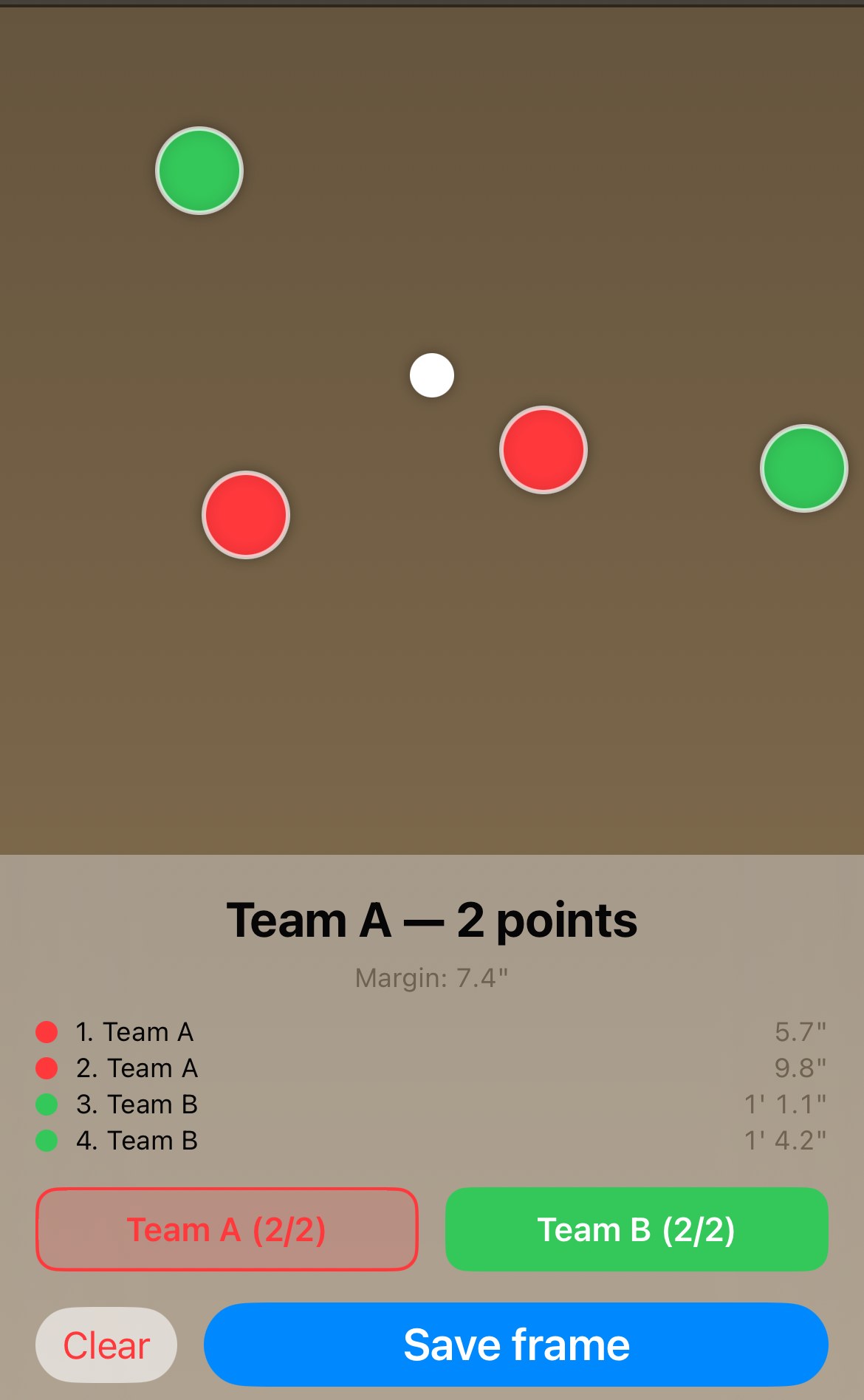
Point your iPhone at the court, tap the pallino, then tap each ball. Bocce Scorer measures how far each ball sits from the pallino, works out which side scored and how many points, and keeps the running score for you. Built for volunteers and league play.

  • Measures with the camera, no kneeling on the ground with a tape
  • Works out who scored and how many points in each frame
  • Says “measure by hand” when a call is too close, instead of guessing
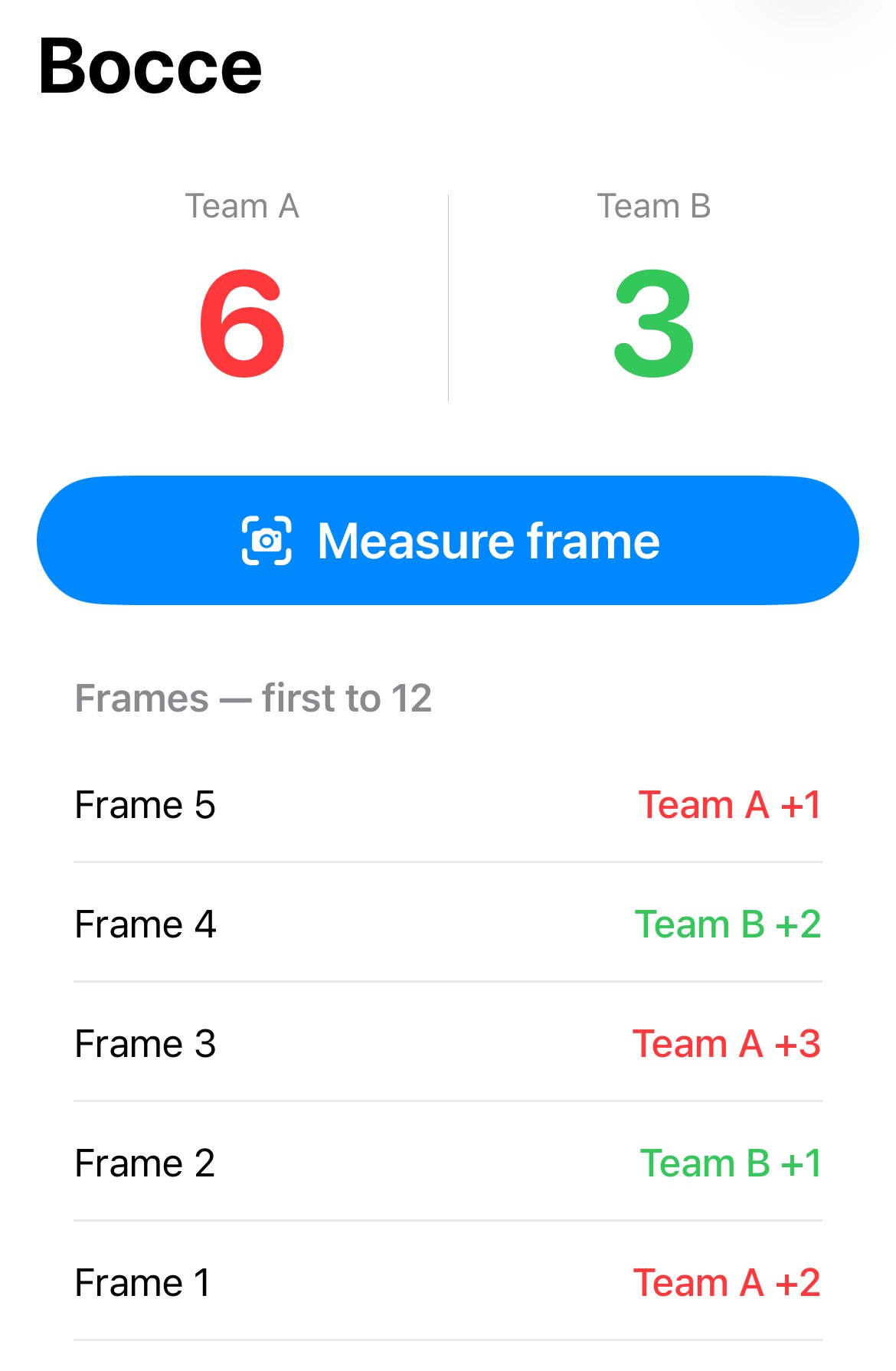
  • A running scoreboard with every frame listed, and Undo
  • Set the points target and balls per team, and name the teams
  • Distances shown in inches, feet and inches

Best on an iPhone with LiDAR

Best on iPhones with a LiDAR scanner (iPhone 12 Pro and newer Pro models), where the app measures distances with the camera and depth sensor.

  • iPhone 12 Pro and 12 Pro Max
  • iPhone 13 Pro and 13 Pro Max
  • iPhone 14 Pro and 14 Pro Max
  • iPhone 15 Pro and 15 Pro Max
  • iPhone 16 Pro and 16 Pro Max

On other iPhones it still works, but measurements are estimated and the app asks you to measure close calls by hand.

Coming soon for iPhone. The scores and the court shown here are a sample illustration, not a real game.

The Bocce Scorer scoreboard with a sample game in progress The Bocce Scorer measuring screen with sample balls and the score for the frame